

Download PowerZip – Fast, Secure File Compression for Windows (ZIP, RAR, 7Z)
PowerZip is a lightweight, high-performance file compression tool designed for Windows users who need to zip and unzip files quickly and securely. With support for multiple formats including ZIP, RAR, 7Z, and more, PowerZip offers a reliable solution for managing compressed archives. Whether you're compressing documents, photos, or large datasets, PowerZip ensures smooth performance and minimal system resource usage.
Since its launch in 2006, PowerZip has earned the trust of over 11,900 users worldwide, particularly in Singapore, the UAE, and Slovakia. The latest version, 7.21.4010 (updated March 17, 2010), includes critical improvements like enhanced large file support, better compatibility with Windows Vista, and fixes for issues with long file paths and Windows Explorer freezing. PowerZip is available as a free trial, allowing users to experience its speed and efficiency before deciding to purchase.
It’s ideal for both home users and professionals seeking a secure, fast, and user-friendly compression tool.
Key Features of PowerZip – What Makes It Stand Out
PowerZip stands out in the crowded field of file compression tools thanks to its robust feature set and seamless integration with Windows. One of its most notable features is its support for multiple archive formats, including ZIP, RAR, 7Z, and more. This versatility means you don’t need to install several different tools to handle various file types—PowerZip handles them all in one place. The software’s lightweight design ensures it runs smoothly even on older systems, requiring less disk space than the average utility in its category. This makes it an excellent choice for users with limited storage or older hardware.
Another standout feature is its improved handling of large files. PowerZip now supports files over 2GB with enhanced stability, fixing previous issues that caused crashes or corruption during compression and extraction. This is particularly useful for users working with high-resolution videos, large databases, or software installers. Additionally, PowerZip now preserves empty folders when zipping and unzipping—something many older tools overlooked. This ensures that your folder structure remains intact, which is essential for developers and IT professionals managing complex project directories.
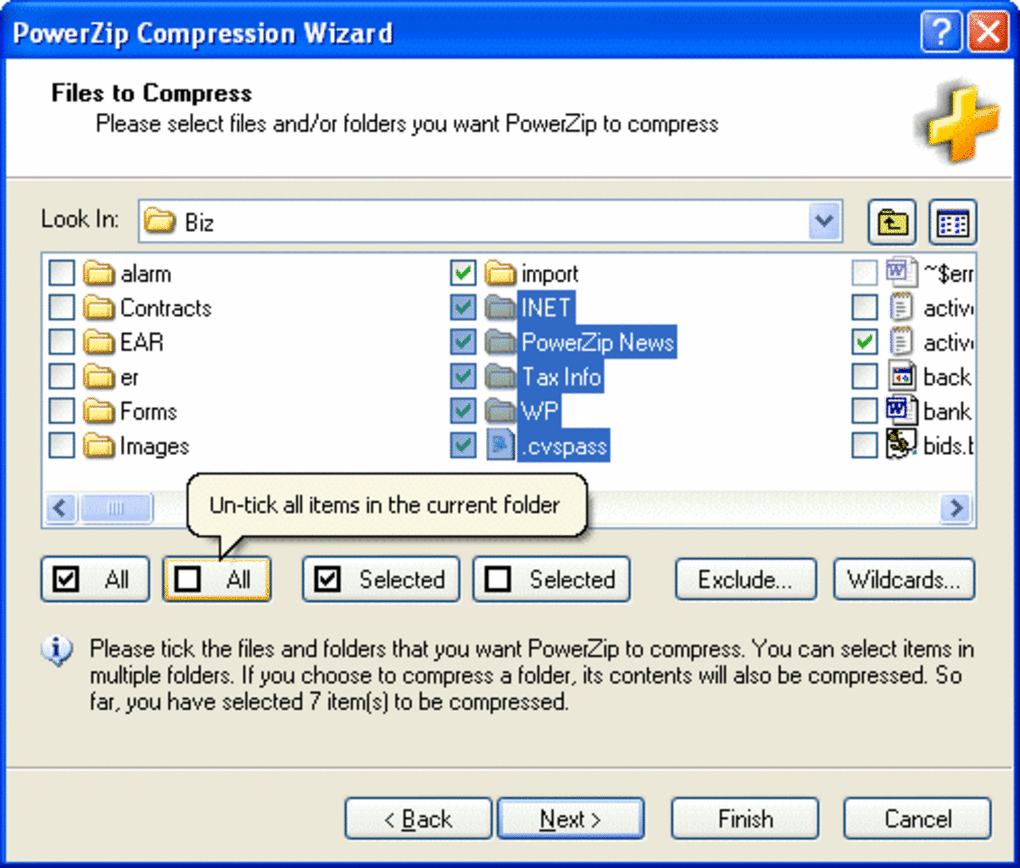
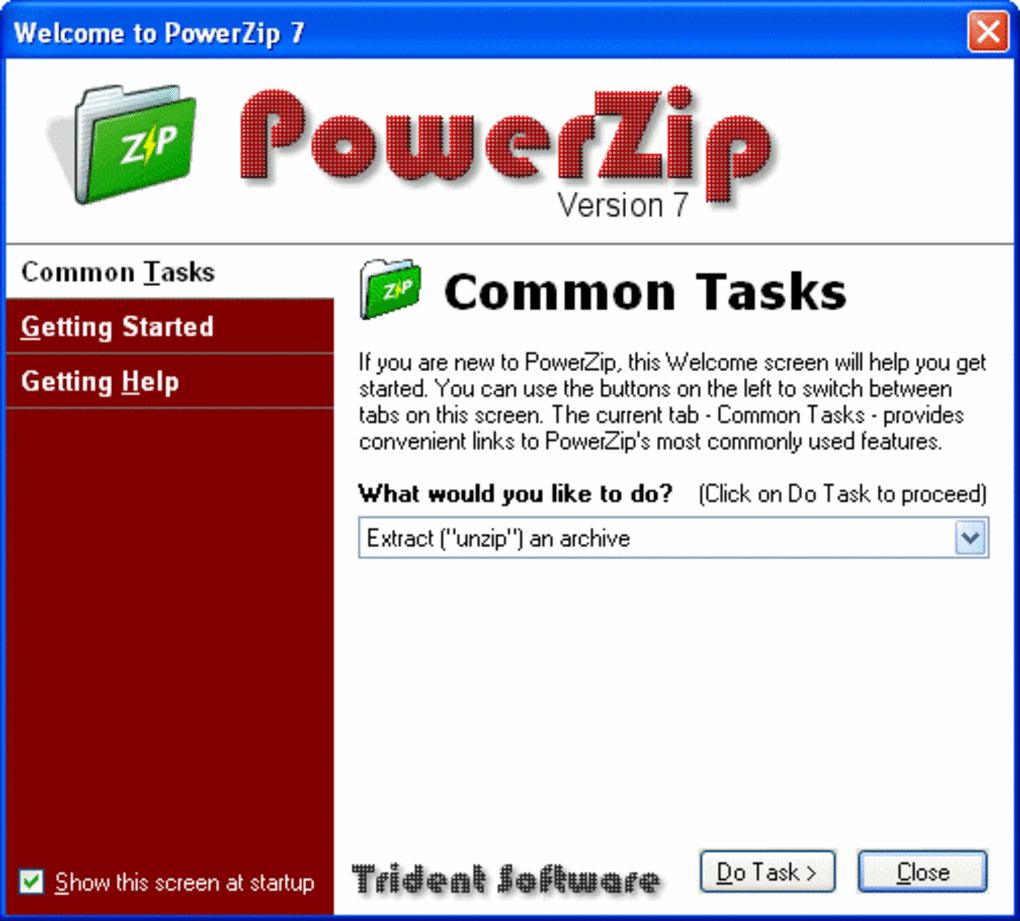
The user interface has also received a major upgrade, now featuring an Office 2007-style design that’s clean, intuitive, and easy to navigate. This modern look enhances usability without sacrificing performance. PowerZip integrates seamlessly with Windows Explorer, allowing you to right-click files and compress or extract archives directly from the context menu. With support for long file paths and improved compatibility with Windows Vista, PowerZip remains a reliable tool even on modern Windows systems. Whether you’re a casual user or a power user, PowerZip delivers a smooth, secure, and efficient compression experience.
How to Install and Use PowerZip – Step-by-Step Guide
Downloading and installing PowerZip is a straightforward process that takes just a few minutes. First, visit the official download page and select the trial version compatible with your Windows system. The installer is small in size and does not require administrator privileges to run, making it accessible even on restricted workstations. Once downloaded, double-click the installer file and follow the on-screen prompts. The setup wizard will guide you through the installation, including choosing the installation directory and creating desktop shortcuts.
After installation, PowerZip automatically integrates with Windows Explorer. To compress a file or folder, simply right-click on it, select “PowerZip” from the context menu, and choose “Create Archive.” You can then select the desired format (ZIP, RAR, 7Z), set a password for encryption, and choose compression level. The tool supports both standard and maximum compression, allowing you to balance file size and processing time. To extract files, right-click on the archive and choose “Extract Here” or “Extract to…” to specify a custom location.
For advanced users, PowerZip offers batch processing capabilities, allowing you to compress or extract multiple files at once. You can also customize default settings, such as auto-creating archives in a specific folder or enabling automatic password protection. The software also includes a built-in file preview function, letting you view the contents of an archive without extracting it. These features make PowerZip not just a compression tool, but a complete file management utility. With its intuitive interface and powerful features, PowerZip is easy to use whether you're a beginner or a seasoned tech user.
Compatibility & System Requirements – Works on Older and Modern Windows
PowerZip is specifically designed for Windows operating systems and is compatible with a wide range of versions, including Windows 98, ME, 2000, XP, Vista, 7, 8, and 10. This broad compatibility ensures that even users with legacy systems can benefit from its fast compression and secure file handling. The software is optimized to run efficiently on older hardware, making it a great choice for businesses or individuals using outdated computers without the need for costly upgrades.
Despite its age, PowerZip continues to receive updates to maintain compatibility with modern Windows features. The March 2010 update specifically addressed issues with Windows Explorer freezing on some systems and improved support for Windows Vista. This ensures that the software remains stable and responsive even on newer versions of Windows. The tool also supports long file paths and large files over 2GB, which is crucial for users handling modern media and software projects.
PowerZip is available in English and is designed to be lightweight, consuming minimal RAM and CPU during operation. This makes it ideal for multitasking environments where system resources are shared across multiple applications. While it is not available for Mac, Android, or iOS, Windows users will find it to be a reliable, secure, and fast alternative to other compression tools. For those looking for a free, downloadable, and secure file compression tool that works across different Windows versions, PowerZip remains a solid choice.
Pros and Cons of PowerZip – Honest Review
- Pros:
- Supports multiple formats: ZIP, RAR, 7Z, and more
- Lightweight and fast performance with low system resource usage
- Improved large file support (over 2GB)
- Preserves empty folders during compression and extraction
- Modern Office 2007-style interface with easy navigation
- Seamless Windows Explorer integration with right-click menu access
- Free trial available with full feature access
- Stable on older Windows systems (98 to 10)
- Cons:
- Only available for Windows (no Mac, Android, or iOS version)
- Last major update was in 2010 (may lack support for newer file formats)
- No built-in cloud integration or auto-backup features
- Interface, while modern, may feel outdated compared to newer tools
- Limited customer support options
Frequently Asked Questions (FAQ)
Is PowerZip free to download and use?
Yes, PowerZip is available as a free trial. You can download and use all its features for a limited time. After the trial period, you’ll need to purchase a license to continue using the software. The trial version is fully functional, allowing you to test compression, extraction, and format support before deciding.
Does PowerZip support RAR and 7Z files?
Yes, PowerZip supports both RAR and 7Z file formats for both compression and extraction. This makes it a versatile tool for users who work with various archive types without needing multiple software applications.
Can I use PowerZip on Windows 10?
Absolutely. PowerZip is fully compatible with Windows 10, as well as Windows 8, 7, Vista, XP, and older versions like Windows 98. The 2010 update specifically improved compatibility with modern Windows systems.
Does PowerZip preserve empty folders when zipping?
Yes, PowerZip now includes a feature to preserve empty folders when zipping and unzipping. This is particularly useful for developers and IT professionals who rely on maintaining exact directory structures.
Why is PowerZip still popular after so many years?
PowerZip remains popular due to its speed, lightweight design, and reliable performance. Despite its last update being in 2010, it continues to work well on older and modern Windows systems, and its core features remain effective for everyday compression needs.
Final Verdict: Is PowerZip Worth Downloading in 2024?
While PowerZip may not be the newest file compression tool on the market, it remains a solid choice for Windows users who value speed, simplicity, and reliability. Its ability to handle multiple formats, preserve folder structures, and work on older systems makes it a unique and valuable tool. Though it lacks modern features like cloud sync or AI-powered compression, its core functionality is rock-solid. If you're looking for a secure, fast, and free-to-trial compression tool that works seamlessly on Windows, PowerZip is definitely worth downloading.
Download PowerZip today and experience lightning-fast file compression on your Windows PC. Try the free trial now and see why thousands of users still trust it for their daily file management needs.







